I recently saw some articles about well-respected free SSL certificates from Lets Encrypt. Not only are Let's Encrypt certificates free, but they are also much easier to setup because the whole process is automated and, once you've got DNN properly configured, completes in about 10 seconds as opposed to a whole lot of manual steps for most SSL Certs.
Most of the Lets Encrypt stuff is intended for Linux machines but there are now nice solutions for Windows Servers running IIS. As I tried to add a certificate to a DNN site, I ran into a few issues but they were fairly easy to solve.
There are a couple other blogs that describe similar solutions, this one uses the LetsEncrypt-Win-Simple command line utility but is otherwise nice and simple. I prefer, the Certify The Web application as it has a nice UI and is simple to use.
Read More...
Comments (0)
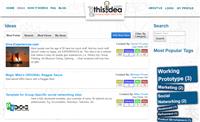
Do you have an idea that you think could make some money are solve a real issue? Do you need help bringing that idea to life? Money, marketing, manufacturing, technical help, ... Then GotThisIdea.com is the site for you. Just $25 to put your idea in front of the people that can help you make it happen, or just by your idea from you.
Technologies: DNN, Responsive, HTML5, Video, KendoUI, WebAPI
Read More...
Comments (0)
We've been hard at work on version 5.0 of Efficion's Articles module. The new version features the following changes:
- New underlying technologies: Built in C# instead of VB and is now a compiled DLL rather than a WSP project.
- Open Source and shared development: The Articles module will have the MIT license to allow anyone to use it for anything for free. We'll be posting the code on GitHub and DNN's forge and encouraging others to contribute.
- New Data Access Model: Uses PetaPoco / DAL2 for most data access providing improved performance and flexibility and resulting in much cleaner and simpler code.
- Improve templates: we've cleaned up templates to make the code cleaner, eliminate all layout tables, and allow a lot more flexibility in design using only CSS.
- DNN Compatibility: We're targeting DNN 7 and 8 with this release and removing all outdated calls to old code
- Improve install and upgrade experience: We've updated our manifests and install files for an improved experience.
- Lots More: There's are lots of addition improvements coming in this release. We'll provide more detail at release time.
Read More...
Comments (0)
We've finally released version 4.3.1 of our free and open source Articles module for DNN.
Key enhancements for this version include:
- Lots compatibility improvements for DNN 6 and 7.
- Conversion of EditArticle and Settings to DNNForms pattern
- Template Cleanup - Much less unnecessary markup generated by templates
- Lots of cleanup and reorganization of Settings page
- Adds Gravatar support for comments.
- Added Category Tabs control that allows Tabs of Categories to be displayed at the top of the module so users can filter by a Category by clicking on the corresponding tab.
- New SlideShow Templates
- New manifest file for improved install experience
- Other minor fixes and enhancements
The download link is in the top left corner of this page. Enjoy!
Comments (0)
We've decided to stop selling the Articles module and just give it away for free like we did in the beginning. The download links will be available for everyone once we finish up 4.3. We also have plans to move the module into the DNNForge once we get further along in making the sweeping improvements we're planning. Stayed tuned!
Comments (1)